
2. Connect API
Set up webhooks and respond to census data requests from Benbase.
Connect API
Since your payroll engine isn't directly supported, you provide employee census data when Benbase requests it via webhook. Benbase needs this data to generate accurate benefit quotes for the employer's employees.
If you only need marketplace quotes, you can skip webhooks and pass the census inline when embedding the Employer Flow. This step is for the full integration — ongoing census sync and payroll deductions.
Set Up Webhooks
Webhooks are how Benbase communicates with your system asynchronously. You register an endpoint, and Benbase sends HTTP POST requests to it when events occur.
Access the Svix Portal
- Log in to Benbase Embed (sandbox or live)
- Go to Svix Portal Access tab
- Click Get Portal URL to generate a portal link
- In the portal, add your webhook endpoint URL
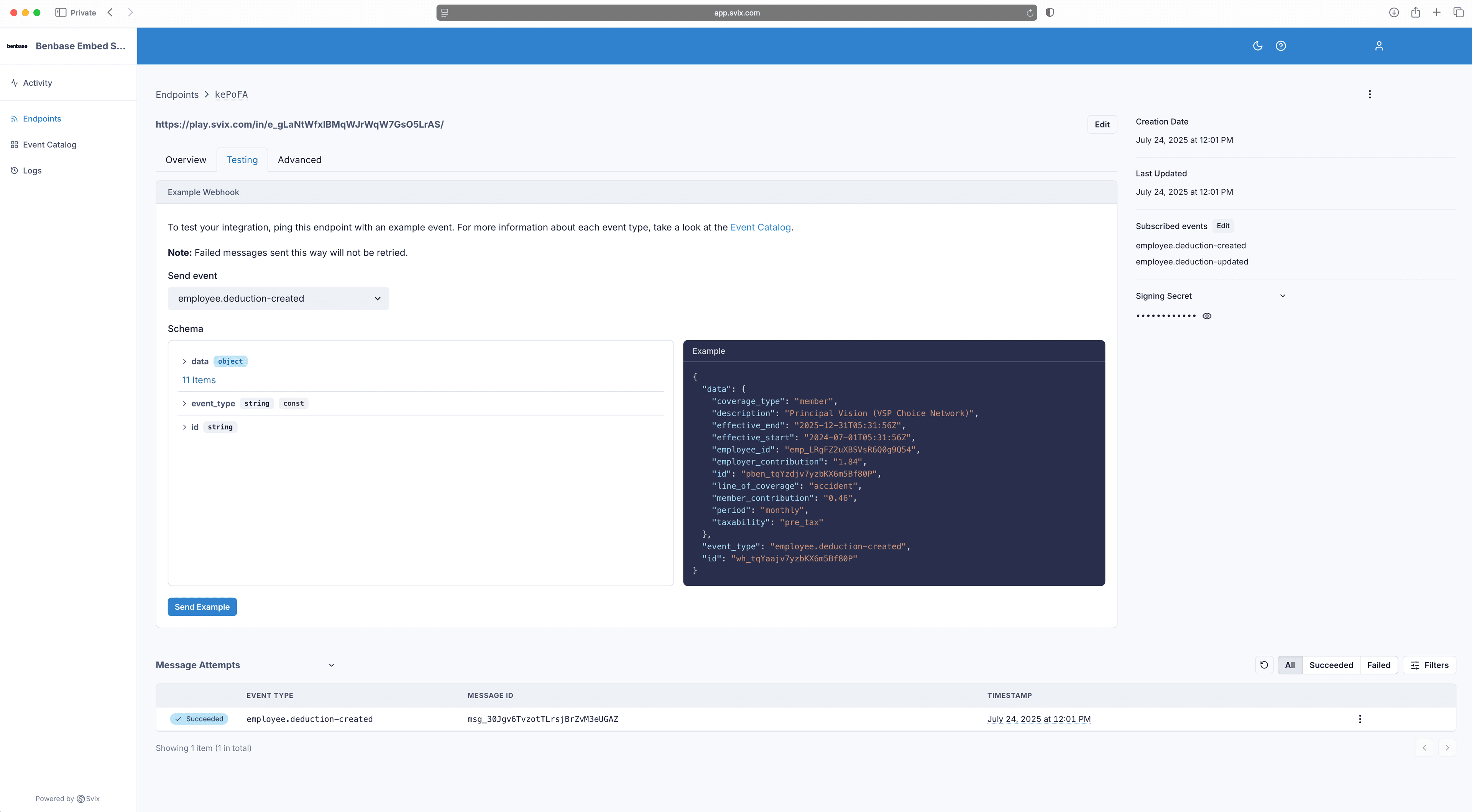
Subscribe to events
| Event | When it fires |
|---|---|
employee-census.sync-request | Benbase needs employee census data from you |
employee-census.sync-complete | Census data has been processed |
employee.deduction-updated | Employee enrolled/changed benefits — deduction data available |
Webhook requirements
- Return a 2xx status code within 15 seconds
- Disable CSRF protection for your webhook endpoint if your framework enables it by default
- Verify signatures — Svix signs every webhook. See Svix verification docs
- Failed deliveries are retried automatically by Svix with exponential backoff
To revoke all active portal sessions, click Revoke All Sessions in the Svix Portal Access tab. For testing webhooks locally, see the Svix testing guide.
Handle Census Requests
When Benbase needs employee data, you receive a employee-census.sync-request webhook:
{
  "data": { "employer_id": "<employer-id>" },
  "event_type": "employee-census.sync-request",
  "id": "<webhook-event-id>"
}
Respond by uploading your complete employee census. Include all active employees, not just new hires.
Census endpoint
POST /employer/{employer_id}/census
curl -X POST https://embed-sandbox.benbase.com/api/employer/<employer-id>/census \
  -H "Authorization: Bearer <your-api-key>" \
  -H "Content-Type: application/json" \
  -d '{
    "organization": {
      "legal_business_name": "<business-name>",
      "fein": "<fein>",
      "entity_type": "LLC",
      "contact": {
        "first_name": "<contact-first-name>",
        "last_name": "<contact-last-name>",
        "email": "<contact-email>"
      },
      "address": {
        "line1": "<address-line1>",
        "city": "<city>",
        "state": "<state-code>",
        "zip_code": "<zip-code>"
      }
    },
    "employees": [{
      "employee_id": "<employee-id>",
      "first_name": "<first-name>",
      "last_name": "<last-name>",
      "dob": "<YYYY-MM-DD>",
      "address": {
        "line1": "<address-line1>",
        "city": "<city>",
        "state": "<state-code>",
        "zip_code": "<zip-code>"
      },
      "hire_date": "<YYYY-MM-DD>",
      "email": "<employee-email>",
      "hours_worked": "<hours-per-week>",
      "pay_rate": [{
        "amount": "<amount>",
        "period": "annually",
        "effective_start": "<YYYY-MM-DD>"
      }],
      "employment_status": "full_time"
    }]
  }'
You'll receive employee-census.sync-complete when processing is done.
Census request timing varies — make sure your endpoint is ready before rendering the Employer Flow.
Organization fields
| Field | Type | Required | Description |
|---|---|---|---|
legal_business_name | string | Yes | Legal name of the business |
fein | string | Yes | Federal Employer Identification Number |
entity_type | string | No | C-Corp, S-Corp, B-Corp, LLC, Non-profit, or Sole Proprietor |
contact | object | Yes | See Contact fields below |
address | object | Yes | See Address fields |
Contact fields:
| Field | Type | Required | Description |
|---|---|---|---|
first_name | string | Yes | Contact person's first name |
last_name | string | Yes | Contact person's last name |
email | string | Yes | Contact person's email |
Employee fields (required)
| Field | Type | Description |
|---|---|---|
employee_id | string | Your internal employee ID |
first_name | string | Max 255 characters |
last_name | string | Max 255 characters |
dob | string | YYYY-MM-DD format |
address | object | See Address fields |
hire_date | string | YYYY-MM-DD format |
email | string | Valid email, max 254 characters |
hours_worked | string | Hours per week |
pay_rate | array | See Pay Rate fields |
employment_status | string | full_time or part_time |
Employee fields (optional)
| Field | Type | Description |
|---|---|---|
ssn | string | Social Security Number (stored encrypted, only last 4 digits displayed) |
phone_number | string | Max 10 characters |
termination_date | string | YYYY-MM-DD format |
biological_sex | string | male or female |
pay_frequency | string | weekly, biweekly, semimonthly, or monthly |
job_title | string | Max 255 characters |
If you have a personal email address, use that one as benefits could continue after employment ends.
Address fields
| Field | Type | Required | Description |
|---|---|---|---|
line1 | string | Yes | Primary address line |
line2 | string | No | Apartment, suite, etc. |
city | string | Yes | City name |
state | string | Yes | Two-letter state code (e.g. NY, CA, TX) |
zip_code | string | Yes | ZIP code |
Pay Rate fields
| Field | Type | Required | Description |
|---|---|---|---|
amount | string | Yes | Pay amount, rounded to 2 decimal places (e.g. "75000.00") |
period | string | Yes | annually or hourly |
effective_start | string | Yes | When the rate takes effect (YYYY-MM-DD) |