
Theming
Customize the appearance of Benbase flows including colors, fonts, and dark mode.
Theming
Benbase flows can be customized to match your platform's look and feel.
Theme interface
Flows can be themed using the following structure (all fields optional):
interface ColorConfig {
    // A named palette: exactly 10 hex shades ordered light → dark
    // (index 0 = shade 50, index 9 = shade 900).
    [paletteName: string]: string[]
}

interface ThemeScale {
    xs: string
    sm: string
    md: string
    lg: string
    xl: string
}

interface BenbaseTheme {
    // Any valid CSS font-family string. The flow does not load fonts —
    // use system/web-safe fonts or a font already loaded on the host page.
    fontFamily?: string

    // Named palettes, each with exactly 10 shades (light → dark).
    colors?: ColorConfig

    // Key into `colors` — names which palette is "primary".
    // Not a color value, the string key (e.g. "partnerColor").
    primaryColor?: string

    // Index 0..9 into the primary palette that becomes the accent.
    // Must be a NUMBER — a string like "5" will break the flow at runtime.
    // Defaults to 5 (the 500-shade).
    primaryShade?: number

    fontSizes?: ThemeScale
    lineHeights?: ThemeScale
    radius?: ThemeScale
    shadows?: ThemeScale
}
In production, consult with Benbase to update the theme. For development, you can pass the theme as a URL-encoded query parameter.
Field notes
primaryColoris a key lookup intocolors, not a color value. Rename the palette key to anything you like (brand,partnerColor,corporate) and setprimaryColorto that name.primaryShadeselects the accent shade. Derived shades:accent = palette[N],accentLight = palette[N-1],accentDark = palette[N+1],accentSubtle = palette[0]. Must be a number — sending a string triggers a runtime error in the flow's theme resolver.colorspalettes are ordered light → dark (Mantine convention): index 0 is the lightest tint (typically used for backgrounds), index 9 is the darkest. Palettes with a length other than 10 are ignored.fontFamilyis applied as a CSSfont-familystring. If the name isn't installed on the host or provided via@font-face, the browser falls through to the next entry in the stack. For reliable rendering use system fonts ("Inter, system-ui, sans-serif") or fonts already loaded on the embedding page.fontSizes/lineHeights/radius/shadowsfollow Mantine's 5-stepxs / sm / md / lg / xlscale. Missing keys fall back to sensible defaults.
Example
const theme = {
    fontFamily: "Inter, system-ui, sans-serif",
    primaryColor: "partnerColor",
    primaryShade: 5, // number, not "5"
    colors: {
        // 10 shades, ordered light (50) → dark (900)
        partnerColor: [
            "#ffcccc", // 50  (lightest tint — backgrounds)
            "#ffb3b3", // 100
            "#ff9999", // 200
            "#ff7f7f", // 300
            "#ff6666", // 400
            "#f53d3d", // 500 (accent when primaryShade = 5)
            "#df3636", // 600
            "#c93030", // 700
            "#b22929", // 800
            "#9c2323", // 900 (darkest)
        ],
    },
    fontSizes: {
        xs: "0.75rem",
        sm: "0.875rem",
        md: "1rem",
        lg: "1.125rem",
        xl: "1.25rem",
    },
    lineHeights: {
        xs: "1.25",
        sm: "1.375",
        md: "1.5",
        lg: "1.625",
        xl: "2",
    },
    radius: {
        xs: "0.125rem",
        sm: "0.375rem",
        md: "0.5rem",
        lg: "0.75rem",
        xl: "1rem",
    },
    shadows: {
        xs: "0 1px 2px 0 rgb(0 0 0 / 0.05)",
        sm: "0 1px 3px 0 rgb(0 0 0 / 0.1), 0 1px 2px -1px rgb(0 0 0 / 0.1)",
        md: "0 4px 6px -1px rgb(0 0 0 / 0.1), 0 2px 4px -2px rgb(0 0 0 / 0.1)",
        lg: "0 10px 15px -3px rgb(0 0 0 / 0.1), 0 4px 6px -4px rgb(0 0 0 / 0.1)",
        xl: "0 25px 50px -12px rgb(0 0 0 / 0.25)",
    },
}

const encodedTheme = encodeURIComponent(JSON.stringify(theme))
Append the encoded theme to the flow URL — the theme query parameter applies to both the /employer and /employee paths:
<!-- Employer Flow -->
<iframe src="https://embed.benbase.com/employer?otp=<otp>&theme={{encodedTheme}}" />

<!-- Employee Flow -->
<iframe src="https://embed.benbase.com/employee?otp=<otp>&theme={{encodedTheme}}" />
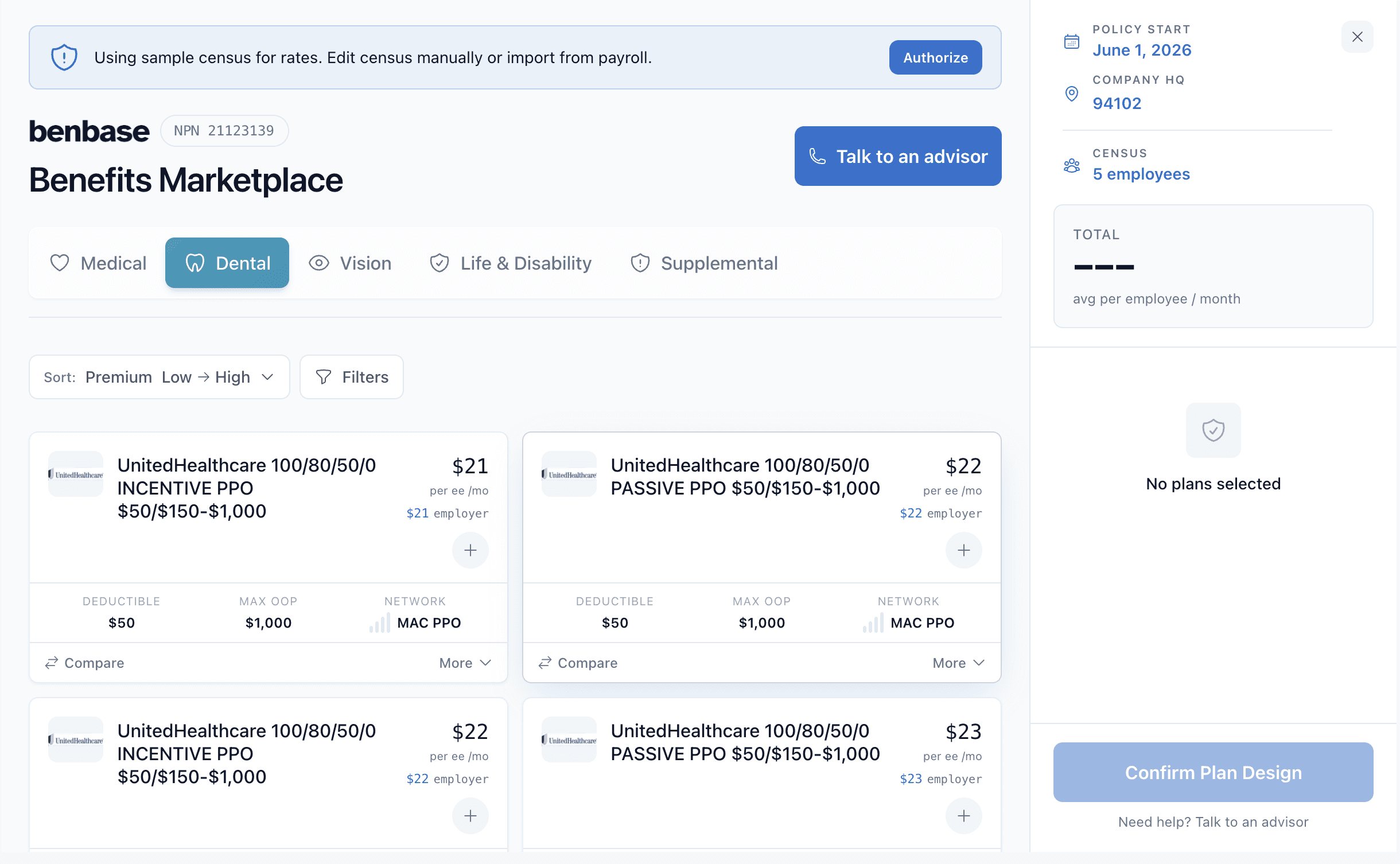
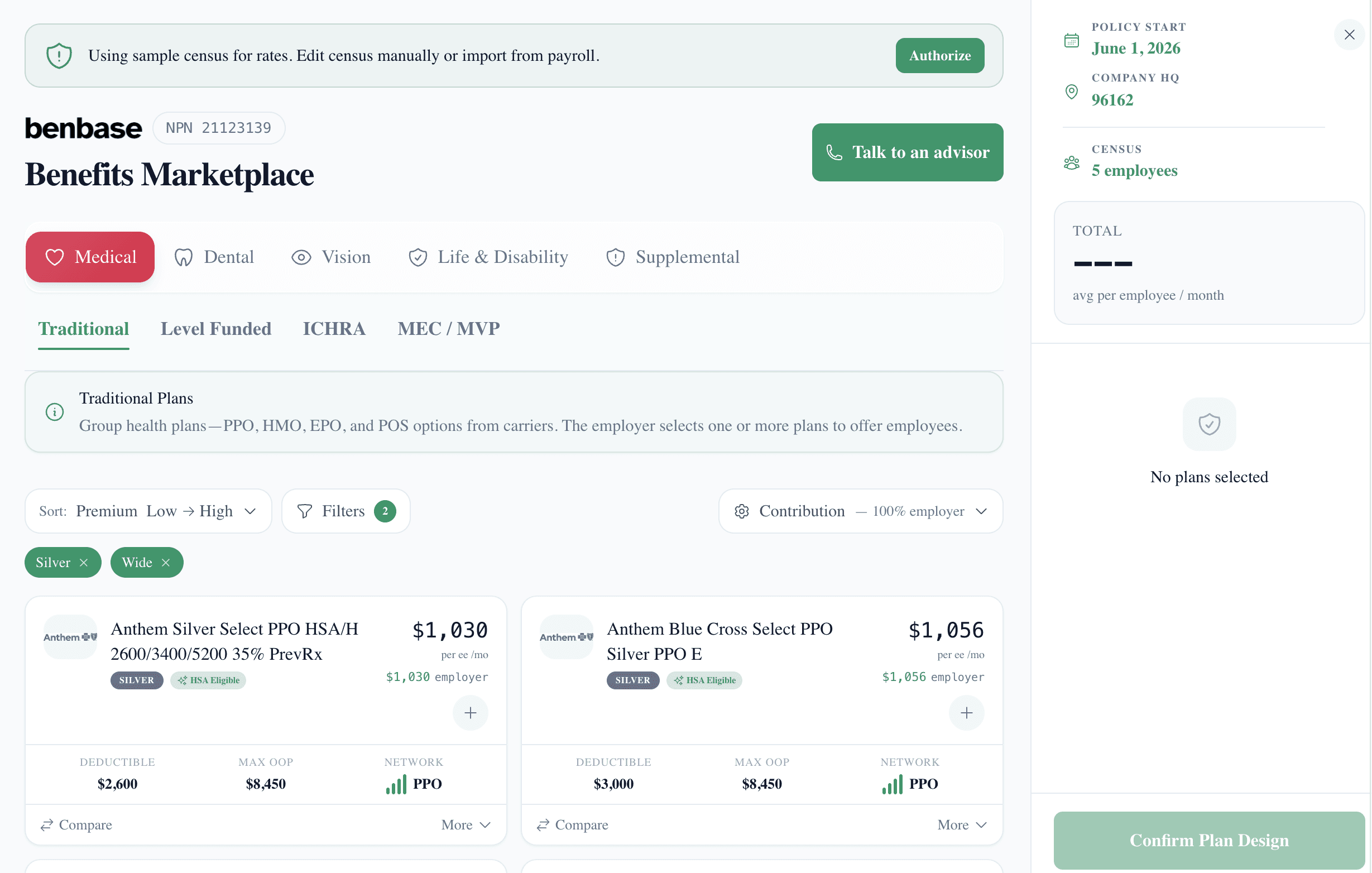
Employer Flow — default vs themed:
Dark Mode
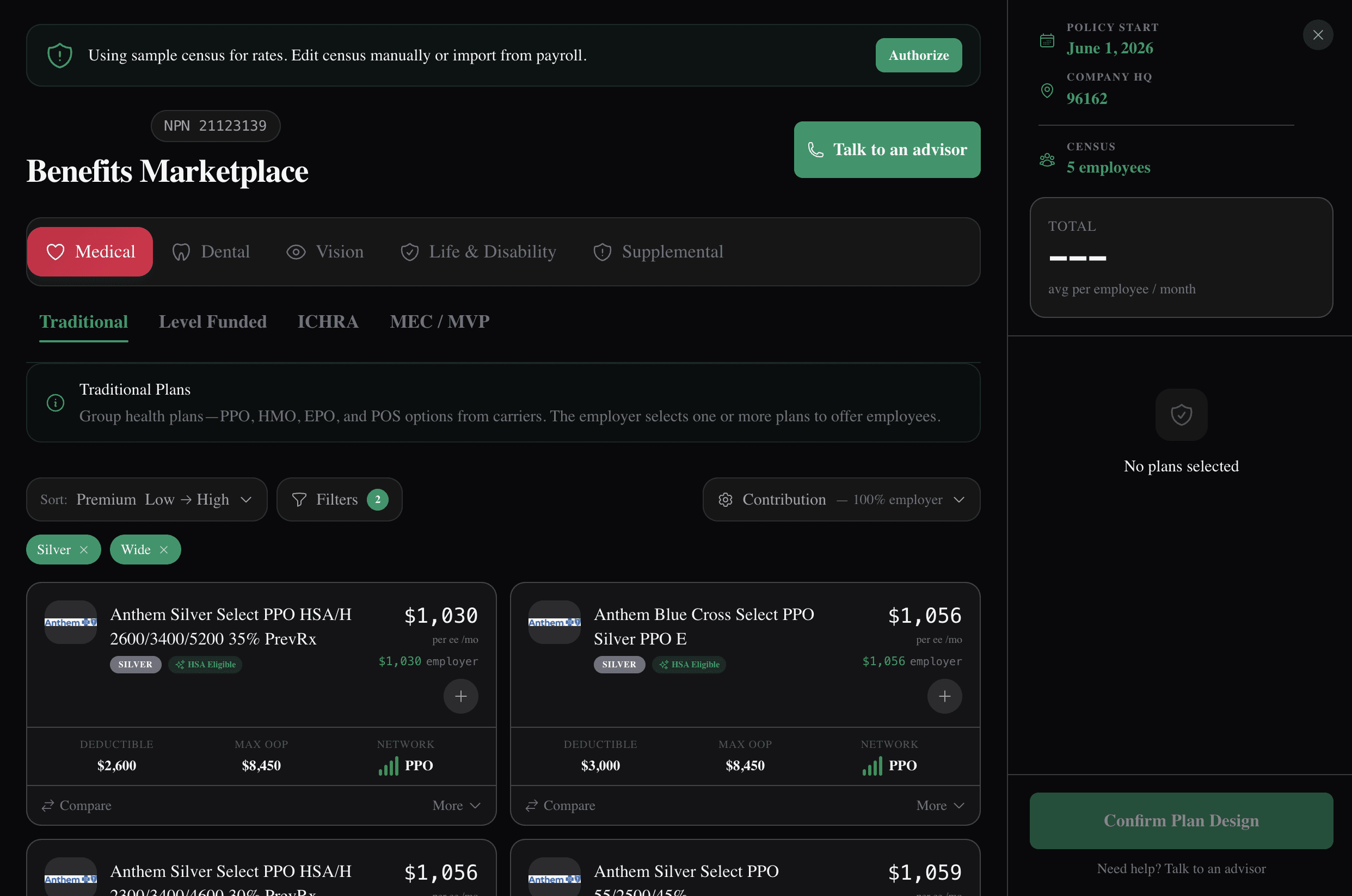
By default, the flow automatically reacts to the system's dark mode setting. To override this, use manual mode.
Light mode vs dark mode:
Manual Mode
Use manual mode when your application has its own light/dark mode with saved state:
- Flow theme is controlled by your application
- Flow does NOT react to system preference changes
- Your theme state is always respected
To enable:
<!-- Dark mode default -->
<iframe src="https://embed.benbase.com/employee?otp=<otp>&color_mode_detection=manual&dark_mode=true"></iframe>

<!-- Light mode default -->
<iframe src="https://embed.benbase.com/employee?otp=<otp>&color_mode_detection=manual"></iframe>
Syncing Theme Changes
When the theme changes in your application, send a postMessage to the iframe:
const iframe = document.getElementById('flow');

iframe.contentWindow.postMessage({
  type: "benbase-embed.theme",
  theme: "dark" // or "light"
}, "*");