
Quickstart
Get up and running with a quickstart demo in under 5 minutes.
Quickstart
Get a working Benbase integration running in your development environment.
Get a Sandbox API Key
Contact your Benbase representative for a Sandbox API key (prefixed sandbox_sk_). See Authentication for details on key types and base URLs.
Render the Employer Flow
Call the Employer Flow endpoint using QUICKSTART as the employer ID — this is a built-in test employer that lets you explore the flow without setting up real data.
curl -X POST https://embed-sandbox.benbase.com/api/flows/employer \
  -H "Authorization: Bearer <your-sandbox-key>" \
  -H "Content-Type: application/json" \
  -d '{ "employer_id": "QUICKSTART", "employer_name": "QUICKSTART" }'
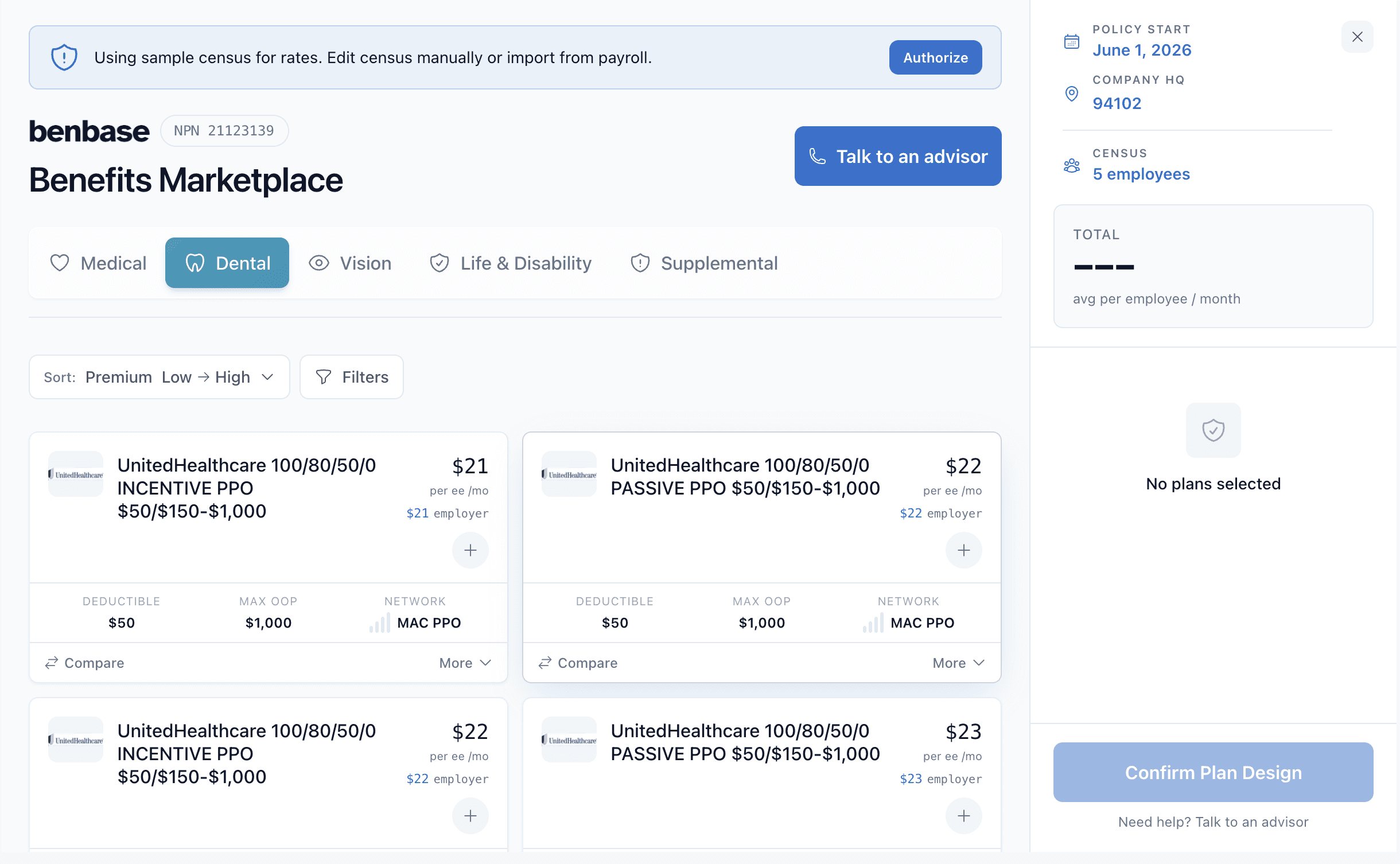
Embed the returned URL in an iframe. You should see the Benbase Employer Flow UI — this is where employers manage their benefits plans.
Render the Employee Flow
Call the Employee Flow endpoint using the same QUICKSTART employer ID:
curl -X POST https://embed-sandbox.benbase.com/api/flows/employee \
  -H "Authorization: Bearer <your-sandbox-key>" \
  -H "Content-Type: application/json" \
  -d '{ "employer_id": "QUICKSTART", "employee_id": "QUICKSTART" }'
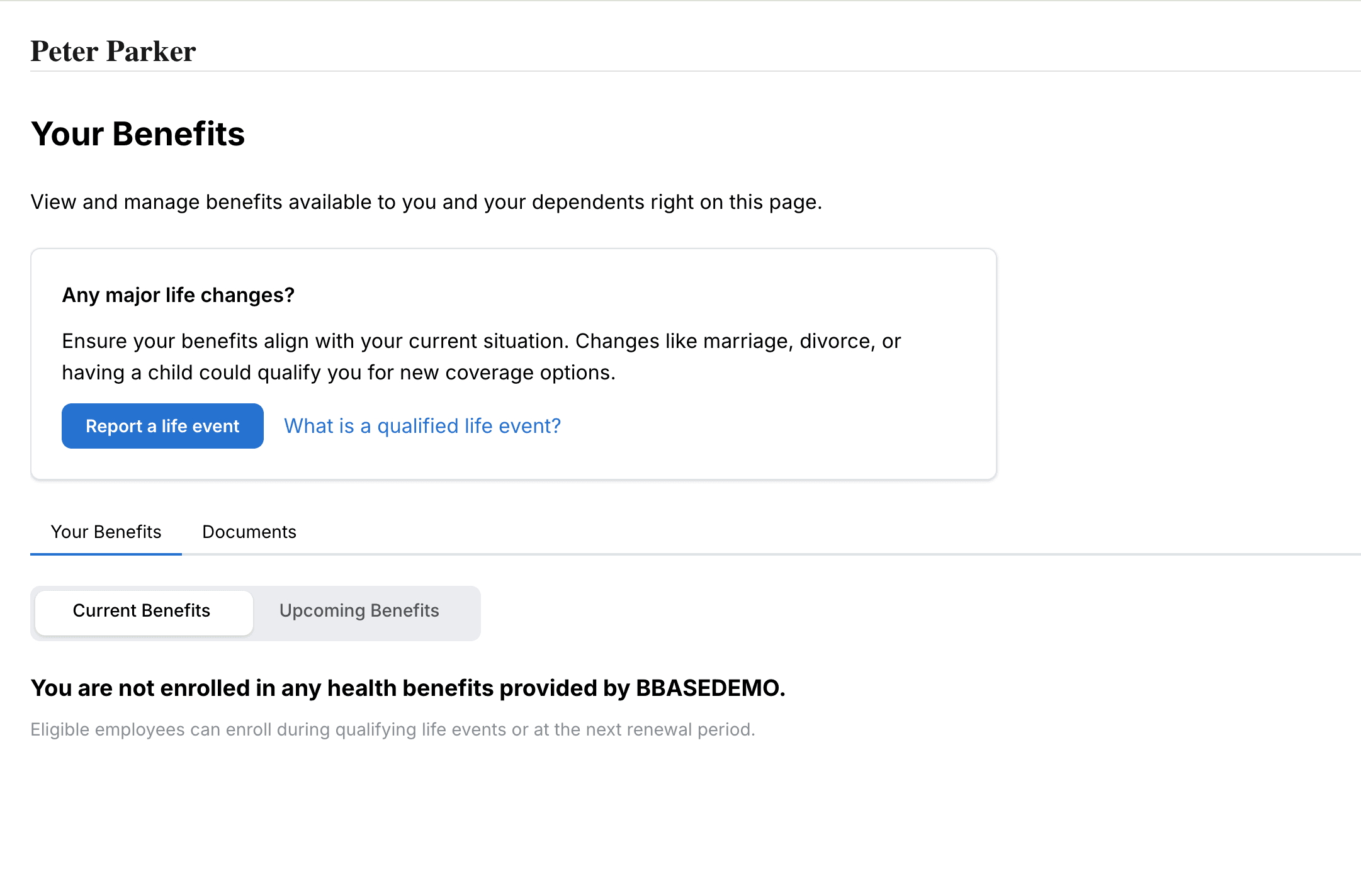
Embed the returned URL. You should see the Employee Flow UI — this is where employees enroll in benefits.
Next Steps
Now that you've seen the flows in action, follow a full integration recipe:
Payroll Engine Integration
Your payroll engine is supported (e.g. Check). Census and deductions sync automatically.
API Integration
Your payroll engine is not yet supported. You handle census and deductions via API.
Not sure which path to choose? See Choose Your Integration Path for a comparison.